

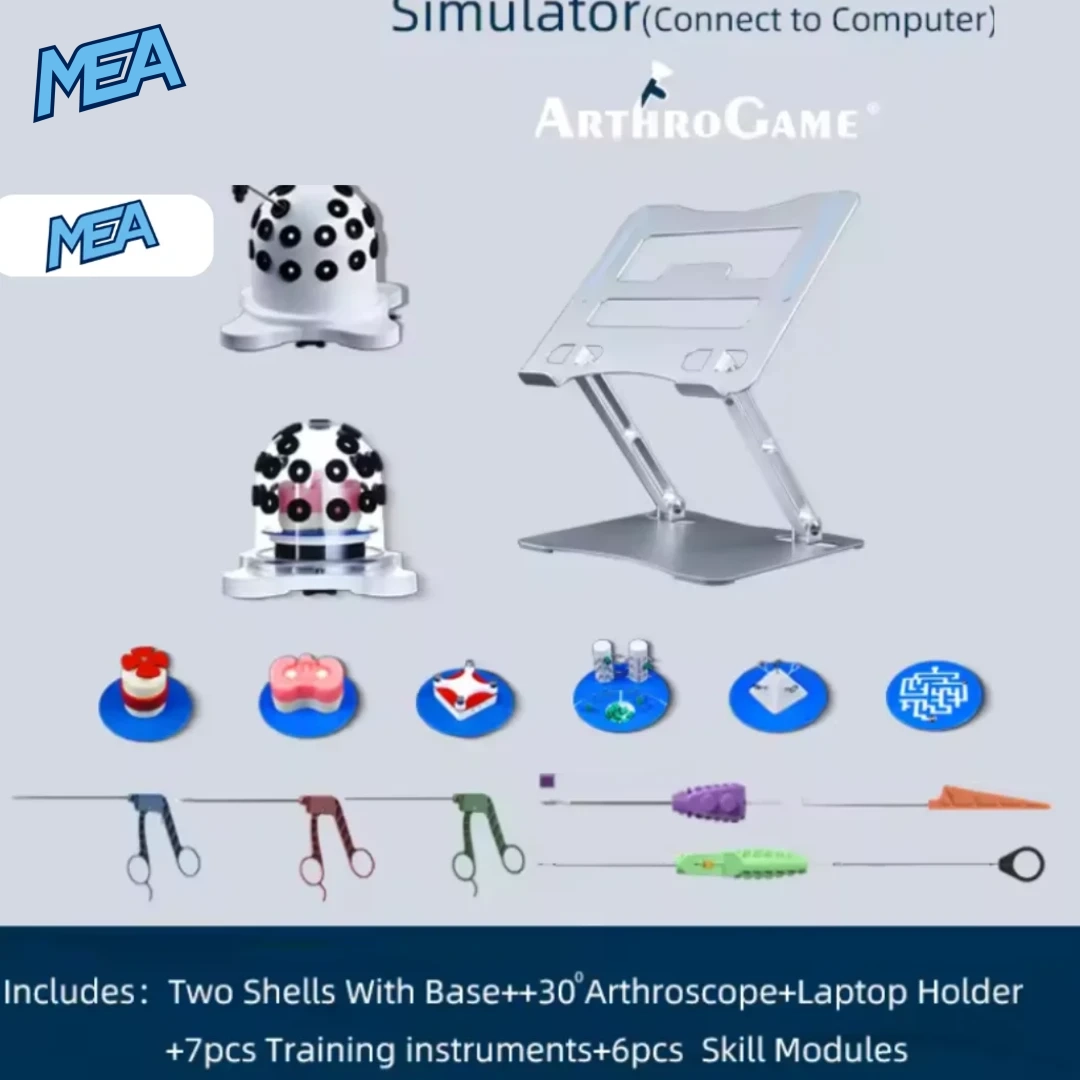


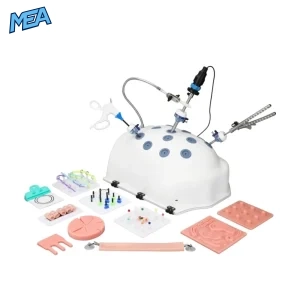
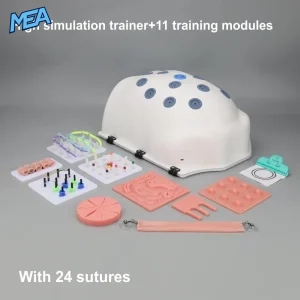
The ArthroGame Arthroscopy Simulator is a compact arthroscopic training station built around a dome-shaped shell, a rotatable base, a PC-linked 30° arthroscope, and a set of interchangeable skill modules. It is designed for orthopedic surgery training programs, medical device demonstrations, nursing and PA skills labs, and self-directed arthroscopy practice at home or in a training centre.
Unlike static bench models, this simulator connects to Mac and Windows computers, streaming a live camera feed to the screen so trainees can practice triangulation, instrument navigation, and tissue-handling technique exactly as they would in an operating room.
Key Benefits
Realistic OR simulation
Practice arthroscopic technique using a real camera feed on-screen, closely mirroring live surgical conditions.
Repeatable, low-cost training
Reusable shells and modules eliminate the recurring cost of cadaveric or animal tissue practice.
Portable and self-contained
Fits on a desk or tabletop; connects to any Mac or Windows laptop with the included adjustable laptop holder.
Modular skill progression
Six interchangeable training modules let learners advance from basic instrument control to complex suturing tasks.
360° instrument access
The rotatable clock-style base allows the training module to be rotated for multi-angle practice.
Complete instrument set included
Seven arthroscopic instruments ship with the kit, so no separate tool purchase is required.
Core Features
PC-Connected 30° Arthroscope
A 30° wide-angle arthroscope with an integrated light source connects to a computer and displays a live 110° field-of-view feed, replicating the visual perspective used in real arthroscopic surgery.
Two Interchangeable Shells
The kit includes both an opaque white shell for standard blind-navigation practice and a clear shell for visual instruction, demonstration, and instructor observation of hand and instrument positioning.
Rotatable Training Base
A clock-style rotatable base lets trainees or instructors turn the skill module to any angle, supporting practice from multiple portal positions.
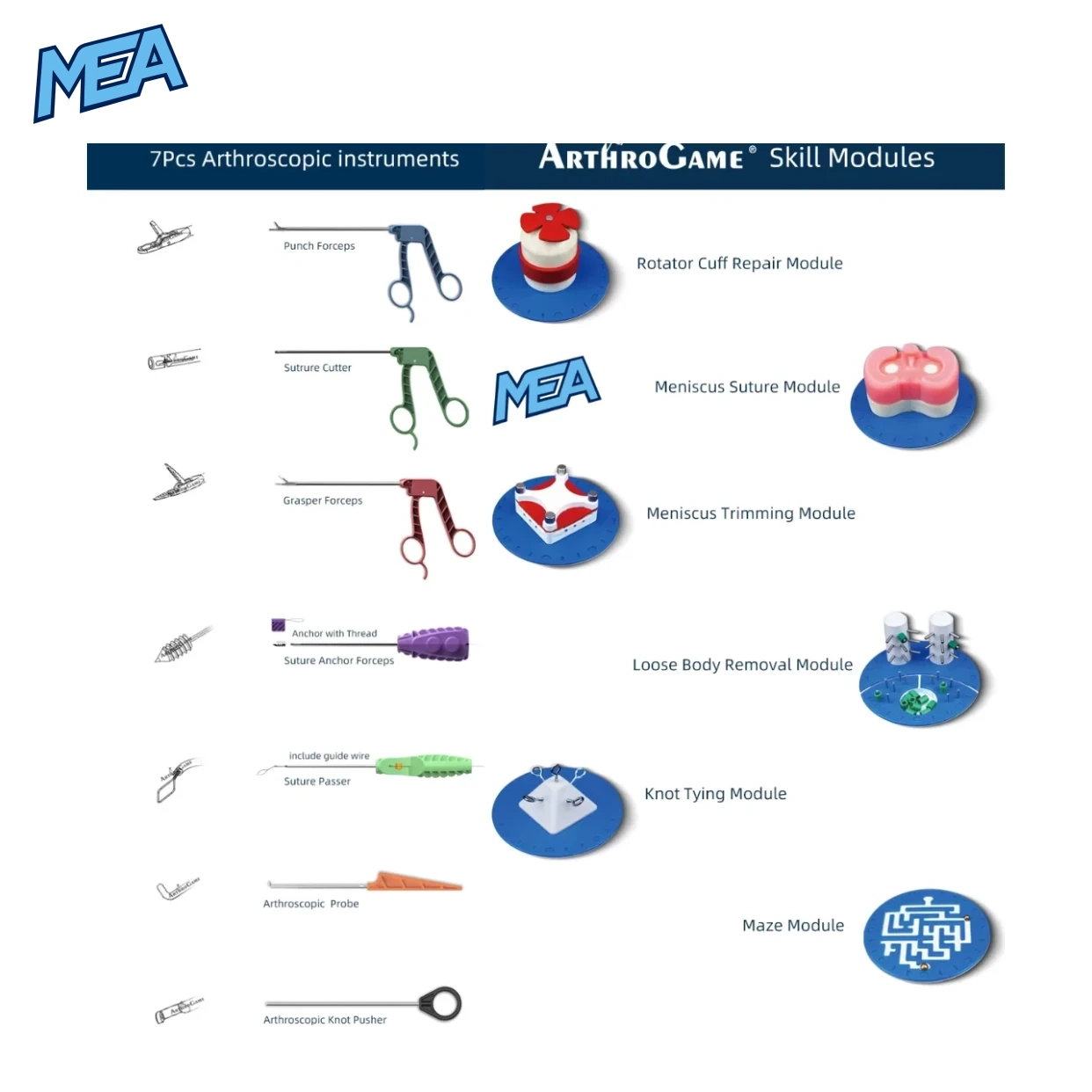
Six Arthroscopy Skill Modules
- Rotator Cuff Repair Module
- Meniscus Suture Module
- Meniscus Trimming Module
- Loose Body Removal Module
- Knot Tying Module
- Maze (instrument navigation) Module
Seven-Piece Arthroscopic Instrument Set
- Punch Forceps
- Suture Cutter
- Grasper Forceps
- Suture Anchor Forceps (with anchor and thread)
- Suture Passer (with guide wire)
- Arthroscopic Probe
- Arthroscopic Knot Pusher
Adjustable Laptop Holder
A foldable, height-adjustable aluminium stand positions a connected laptop or monitor at an ergonomic viewing angle during training sessions.
UHMWPE Suture Fibre
High-strength UHMWPE (ultra-high-molecular-weight polyethylene) suture fibre is included for realistic suturing and knot-tying practice.
Specifications
| Attribute | Detail |
| Product Type | Arthroscopy training simulator (PC-connected) |
| Arthroscope Angle | 30° |
| Visual/Light Source Angle | 30° with integrated light source |
| Field of View | 110° |
| Computer Fitment | Mac and Windows |
| Connection Type | USB (wired) laptop/PC connection |
| Shell Configurations | Opaque white shell; clear shell |
| Base Type | Rotatable, clock-style dial base |
| Skill Modules Included | 6 (Rotator Cuff Repair, Meniscus Suture, Meniscus Trimming, Loose Body Removal, Knot Tying, Maze) |
| Instruments Included | 7 (Punch Forceps, Suture Cutter, Grasper Forceps, Suture Anchor Forceps, Suture Passer, Probe, Knot Pusher) |
| Suture Material | UHMWPE fibre |
| Laptop Holder | Adjustable, foldable aluminium stand |
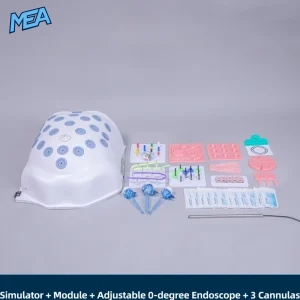
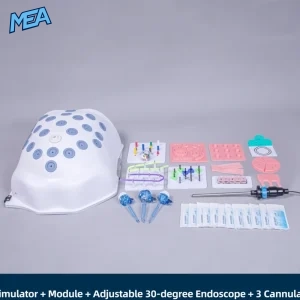
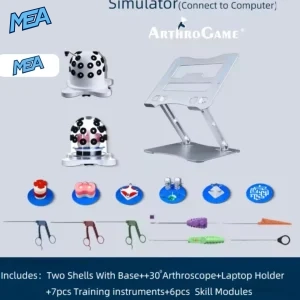
| Included Accessories | 2 shells, base, 30° arthroscope, laptop holder, 7 instruments, 6 skill modules, UHMWPE fibre |
| Recommended Users | Orthopedic residents, surgical skills labs, medical device trainers, sports medicine fellows |
Who This Arthroscopy Simulator Is For
- Orthopedic surgery residents building foundational arthroscopic technique before OR exposure
- Sports medicine fellows practicing meniscus repair, rotator cuff repair, and knot tying
- Surgical skills lab administrators who need a reusable, low-maintenance training station
- Medical device sales and training teams demonstrating arthroscopic instrument use to clinicians
- Nursing and PA programs introducing minimally invasive surgical concepts
How to Use the Simulator
- Attach the 30° arthroscope to the shell and connect the arthroscope cable to a Mac or Windows computer.
- Position the laptop on the adjustable holder at eye level.
- Insert the desired skill module (e.g., Meniscus Suture Module) into the shell base.
- Use the rotatable base to angle the module for the desired portal approach.
- Select instruments from the 7-piece set and begin practicing suturing, trimming, knot tying, or loose body removal while viewing the live camera feed on-screen.
Frequently Asked Questions
What is an arthroscopy simulator used for?
An arthroscopy simulator is used to practice arthroscopic surgical skills such as suturing, knot tying, meniscus trimming, and instrument navigation outside of a live operating room, using a camera-based training model connected to a computer screen.
Does the ArthroGame simulator work with both Mac and Windows?
Yes. The included 30° arthroscope connects directly to both Mac and Windows computers, so trainees can use whichever laptop or desktop is available.
What is included in the ArthroGame Arthroscopy Simulator kit?
The standard kit includes two shells (opaque white and clear), a rotatable base, a 30° wide-angle arthroscope, an adjustable laptop holder, seven arthroscopic instruments, and six skill training modules.
What is the difference between the opaque and clear shell?
The opaque white shell simulates blind, feel-based instrument navigation as in real surgery, while the clear shell allows instructors or learners to visually observe hand and instrument positioning during practice.
What skills can be practiced with the included modules?
The six modules support practice in rotator cuff repair, meniscus suturing, meniscus trimming, loose body removal, knot tying, and general instrument navigation (maze module).
Is the arthroscope’s field of view realistic compared to real surgical scopes?
Yes. The arthroscope provides a 30° visual angle with an integrated light source and a 110° field of view, closely matching the optics used in clinical arthroscopic procedures.
Can the training modules be replaced or rotated during a session?
Yes. The base uses a clock-style rotatable dial that allows the active skill module to be turned to different angles without removing it, supporting multi-portal practice.
What type of suture material is included?
The kit includes UHMWPE (ultra-high-molecular-weight polyethylene) fibre, a high-strength suture material suited for repeated knot-tying and suturing practice.
Is this simulator suitable for beginners or only advanced trainees?
It supports both. Beginners can start with the clear shell and Maze module to build basic instrument control, then progress to the opaque shell and procedure-specific modules such as meniscus suture or rotator cuff repair as skills advance.
Reviews
There are no reviews yet.